
The Group Member list is a Report that shows all of the guests that have picked up against the Block.
It may include their name, confirmation number, room number, status (RESV, FOL, HIST, etc.), Arrival and Departure dates, Room Type, Room Rate, and number of Adults/Youths/Children in the room.
The Group Member List Report may be generated using the View List button in the local tool bar of the Group Main Folio.
Clicking this button will open the Group Member List Option selection screen.
 To reach the Group Main Folio screen:
Select Modify Folio from the Action Bar

OR
Click Modify Folio from the Registration section of the Full Menu.
To reach the Registration area:
Click the icon on the left for the Full menu.

This will display the Full menu in a tabular form, with four sections, Registration, Status, Cashier and Other.
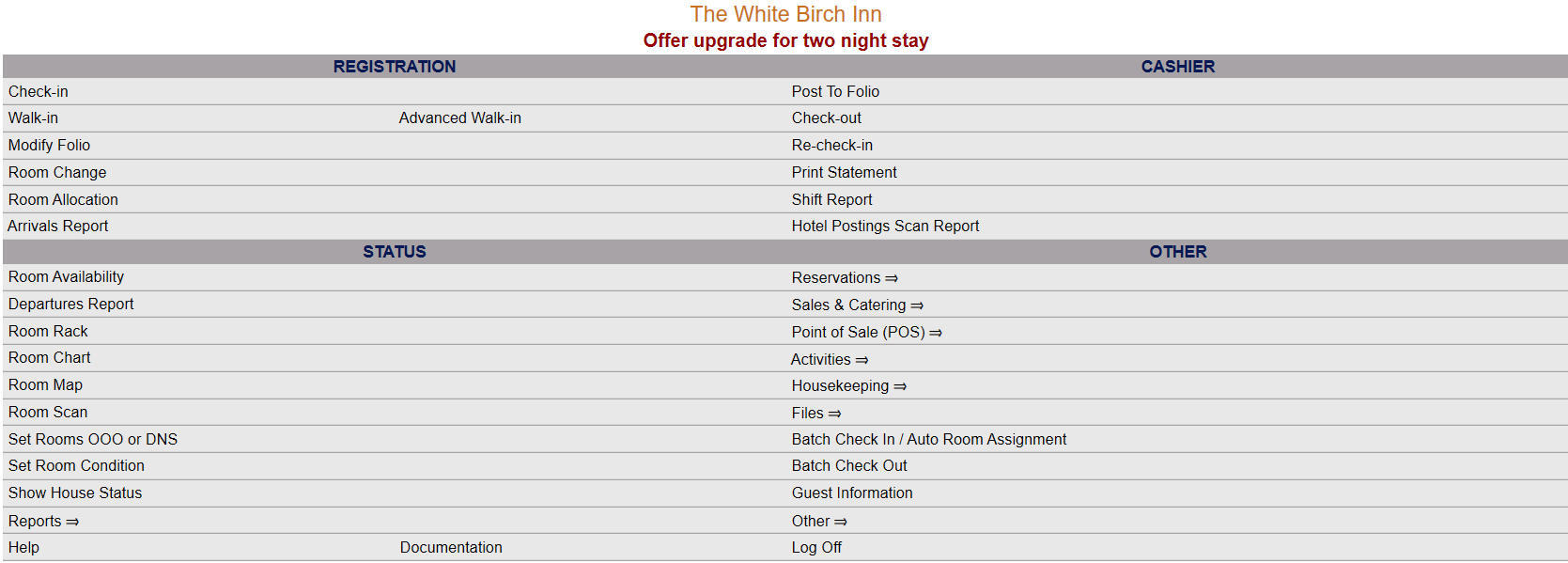
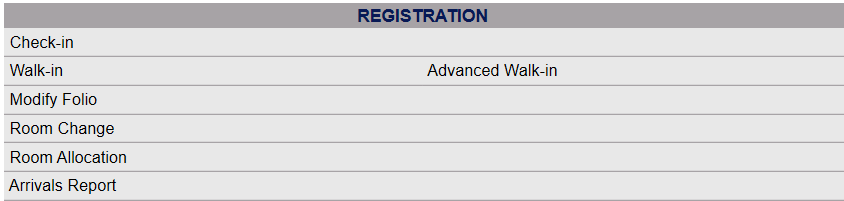
The section on the top left here is the Registration section.
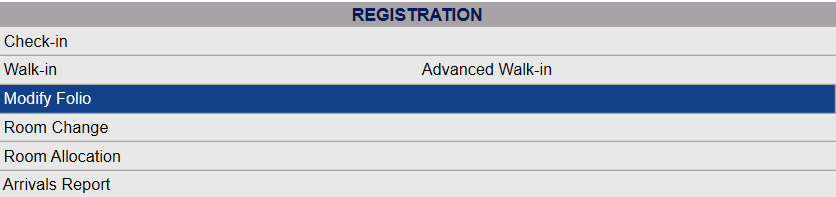
Click on Modify Folio.
When you select Modify Folio, the Select Folio screen will open.

Currently the screen has no (Stay Information) Folios displayed. There are various options for you to select from.
Note: The default setting for the screen is to have the In-House option box checked. To search for a Group Folio, you will need to de-select this option and select the Group option(s) desired, Groups (In-House) and/or Groups (Resv). This will change the screen to the Select Group screen (which may also be reached using the Modify a Group Block command).

The Select Group search screen allows you to select a Group from those existing in your system to display.
Use the <<Press to Search>> command to search for matching records.
There are several search criteria you can use to narrow your search, including the Company name or the Booking Name used when the Group Block reservation was generated, or you can simply click on the <<Press to Search>> command which will list all the Groups in your system. You can then select the one you want from the list generated.
Note: When entering information into the search fields, you do NOT need to hit return or enter - if you do so, this is the equivalent of clicking the <<Press to Search>> link and will generate the search.
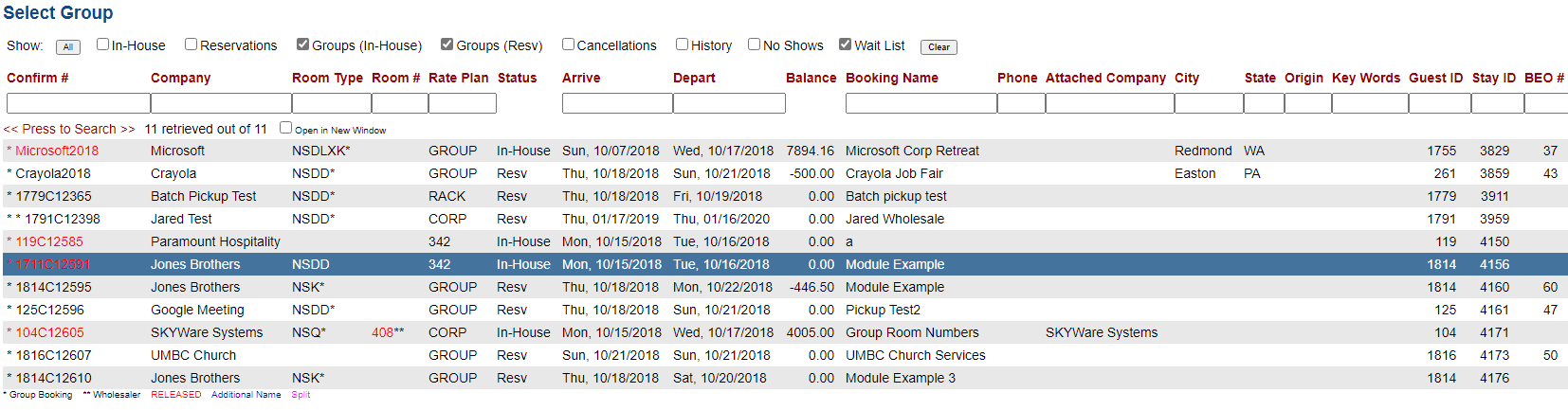
When the matching records are displayed, Click on an entry from the search results list to open the Stay Information, otherwise known as the Main Folio, for your chosen Group.
When selected, the Group Main Folio with the Stay Information tab displayed will open.

When selected, the Group Member List Option selection screen will open:
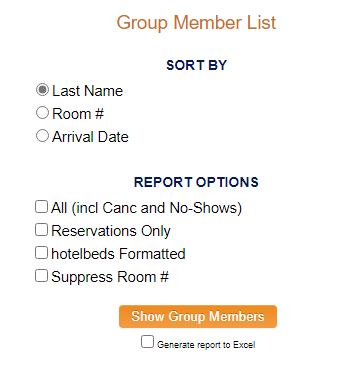
You may chose options for how your Report will be shown:
Sort By: The report can be printed in Last Name, Room number or Arrival Date order. Choose which option to sort by.
Report Options: The Report can be displayed using several options.
All: Check this box to show all Guests associated with the Group, including any that may have canceled or been no-shows.
Reservations only: If checked, the Report will show ONLY reservations (RESV Status).
Hotel Beds Formatted : If checked, the Report will be displayed in a different orientation, without confirmation numbers. Gives a different, more efficient display of Report, which gives different columns for the grid shown, including total amount due per room rather than Room Rate.

Suppress Room #: If checked, no room numbers will be shown on the report, even if guests have been assigned to particular rooms.
By default, the report is generated in PDF form and opens in a separate browser window. You can, instead, choose to have the Report generated in Excel format by checking the Generate report to excel checkbox.
When ready, click the orange button Show Group Members to open the Report.
The Group Members List Report will open in a new page, with all your specified information displayed in table form. this Report may be printed out as wished.
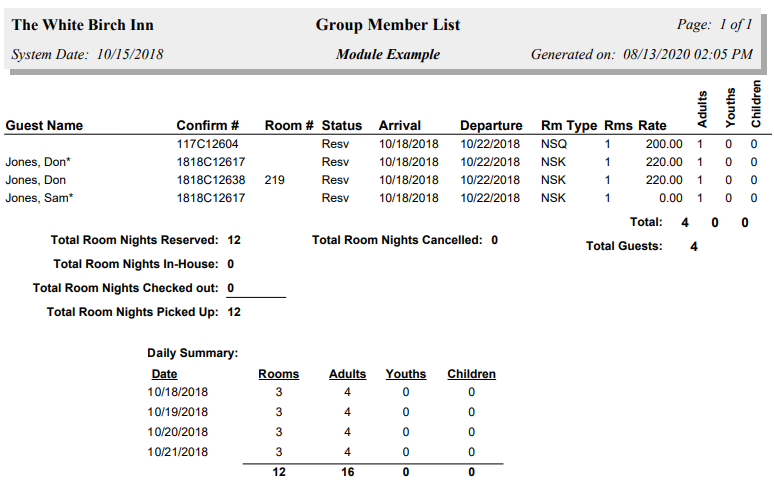
The bottom of the Report also shows in a grid form a Daily Summary.
Date Updated January 29, 2024